A Christmas countdown widget for your Mac
Put your own decorated Christmas tree and the days left until Christmas on your Mac desktop. Choose a small, medium or large widget, then make it yours with custom background colours, festive gradients or your own images.
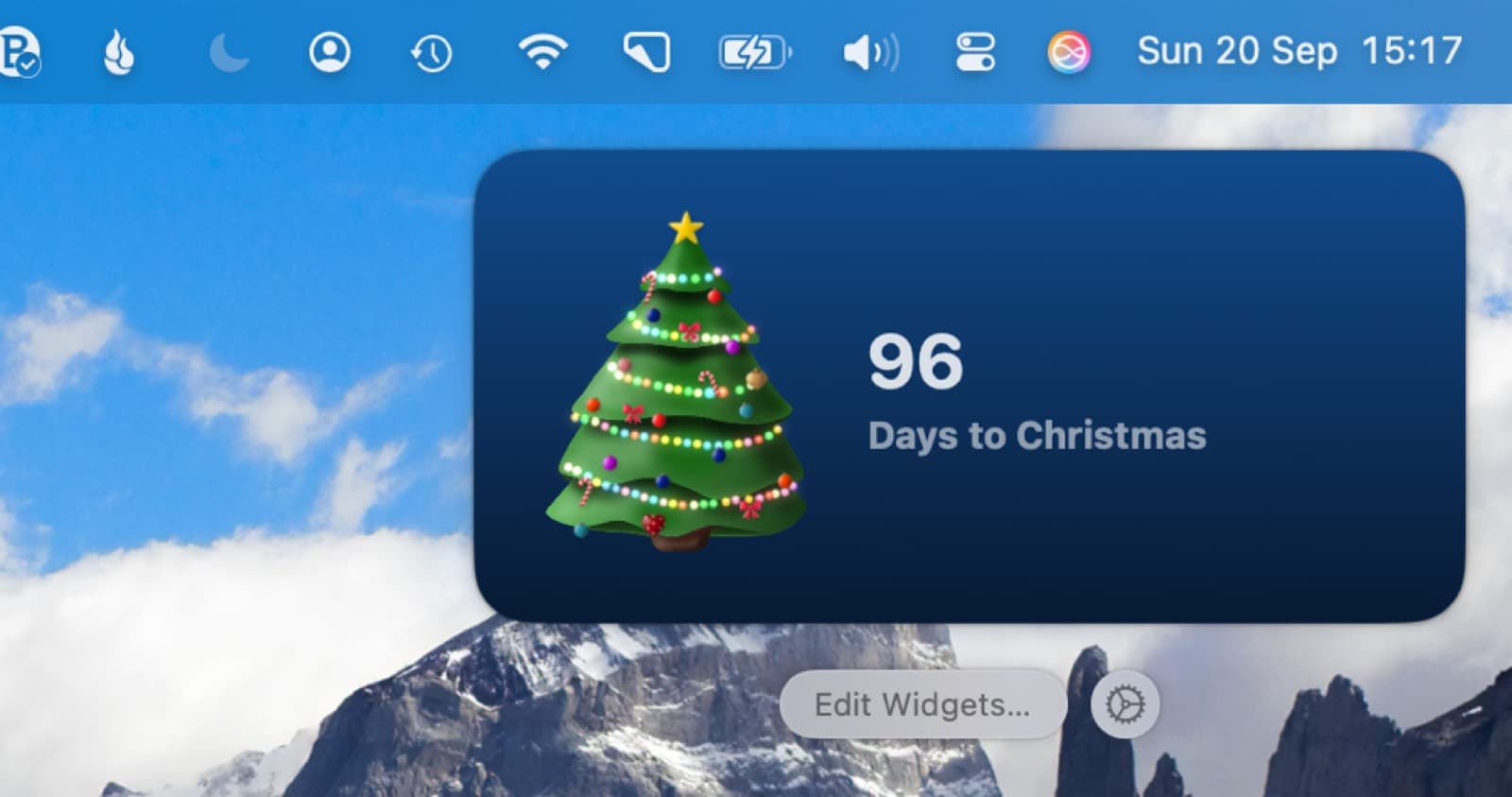
Add a Christmas countdown widget to your Mac desktop
- Download Christmas Tree from the Mac App Store and open it once. Desktop widgets are included in the one-time purchase.
- Right-click an empty area of your desktop and choose Edit Widgets.
- Search for Christmas Tree. Choose the widget from the Mac app if an iPhone version is also listed.
- Choose small, medium or large, drag the widget onto your desktop, then click Done.
Requires macOS 14 Sonoma or later. This is a native Mac widget, so you do not need an iPhone. For more about placing widgets, see Apple's guide to Mac widgets.
Widget colours, gradients and your own background images
Match your Christmas countdown widget to your desktop. Choose a background colour, pick a festive gradient or use one of your own images behind the tree.
Open Settings in Christmas Tree (⌘,) and find Widget Background. Choose a background there; the desktop widget uses the same choice. macOS also controls the widget's appearance, so its colour or monochrome style can affect how your design looks on the desktop.
A widget with the tree you decorated
Hang baubles wherever you like, add emoji and turn your favourite photos into ornaments. Choose your tree colour and lights. Your widget shows the tree you made, with its decorations in place.
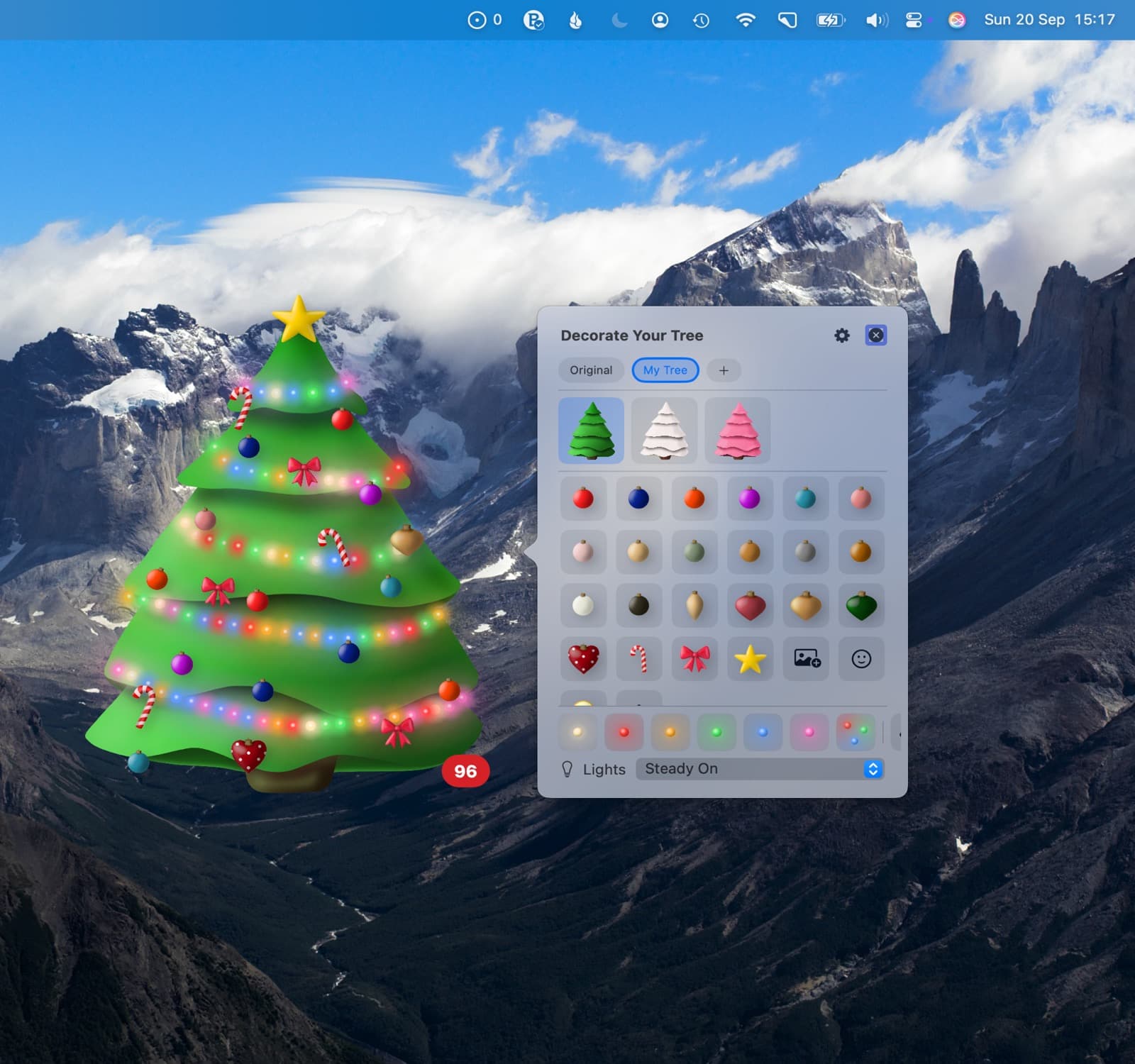
Count down to the day you celebrate
Christmas Day or Christmas Eve? Choose 25 or 24 Decemberin the app's Settings. You can also count down to Sinterklaas on 5 or 6 December, Three Kings' Day on 6 January, or Orthodox Christmas on 7 January. The app follows your region until you choose a different date.
One purchase, all your Apple devices
Try the floating Mac tree and countdown for free. A single purchase of US$1.99 unlocks desktop widgets, background customisation, all decorations, photo ornaments and the menu bar countdown, plus all features on iPhone, iPad and Apple Watch. Family Sharing is included. No subscription; local App Store prices may vary.
Prefer a tree that floats above your windows? See the floating Christmas tree for Mac. For your phone, follow the iPhone Christmas countdown widget guide.
Questions
Is the Christmas countdown widget for Mac free?
Christmas Tree is free to download, with a floating desktop tree and countdown included. Desktop widgets are part of the one-time US$1.99 purchase, which also unlocks all decorations, photo ornaments, the menu bar countdown and Apple Watch complications. No subscription. Local App Store prices may vary.
Can I change the widget colours and background?
Yes. Christmas Tree lets you choose custom background colours, festive gradients or your own images for Mac desktop widgets. Open the app's Settings and choose Widget Background. The widget also shows the tree you decorated, including photo ornaments and emoji.
What sizes does the Mac Christmas countdown widget come in?
Christmas Tree has small, medium and large desktop widgets. All three show your decorated tree and the days left until your chosen celebration.
Do I need an iPhone to use the Mac widget?
No. Christmas Tree includes native Mac widgets for macOS 14 Sonoma or later. Install and open the Mac app, then add Christmas Tree from Edit Widgets. If macOS also offers an iPhone version, choose the Mac app's widget.
Can the widget count down to Christmas Eve?
Yes. Christmas Tree follows your region by default. In the app's Settings you can choose 24 or 25 December, 5 or 6 December, or 6 or 7 January. The widget uses that choice too.
Do the widget lights animate?
The Christmas Tree widget shows a still picture of your decorated tree and updates the days remaining each day. Lights animate in the app and on the floating Mac desktop tree.
Does the same purchase unlock iPhone and iPad widgets?
Yes. One Christmas Tree purchase unlocks all features on Mac, iPhone, iPad and Apple Watch, with Family Sharing included. You do not need a separate purchase for each platform.